Last updated: September 28, 2026
📄 Privacy policy is provided in English (the legal record).
Benzih ("we", "us", or "our") built the CarInfo AR app (package: com.carinfo.ar) as a free, ad-supported application with an optional one-time in-app purchase to remove advertisements. This Privacy Policy explains what information the app accesses, how it is used, and the choices you have regarding your data.
By using CarInfo AR you agree to the practices described in this policy. If you do not agree, please do not use the app.
1. Information We Collect
CarInfo AR is designed with privacy in mind. We do not require user accounts, logins, or any form of personal registration. Below is a complete overview of the data the app accesses:
| Data | Purpose | Stored / Transmitted |
|---|
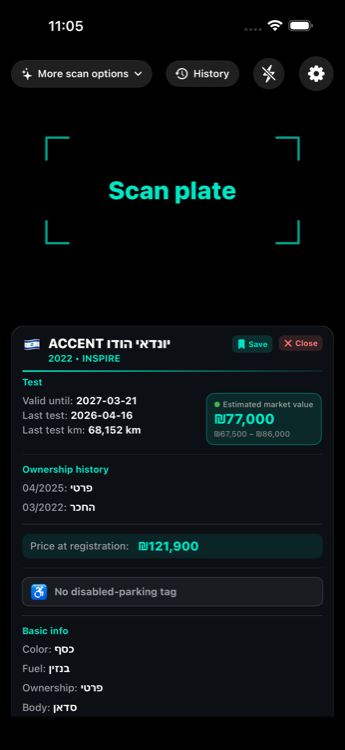
| Camera feed | License plate scanning via on-device text recognition | Processed on-device only. Images are never stored, uploaded, or transmitted. |
| License plate numbers | Queried against government vehicle databases to retrieve public vehicle information | Sent to government APIs over HTTPS. For countries served from our own copy of the public register (Denmark, Ukraine, and as a backup for Israel and the Netherlands), the plate is not sent at all: the app turns it into a file number and downloads that one file. Not stored on our servers. |
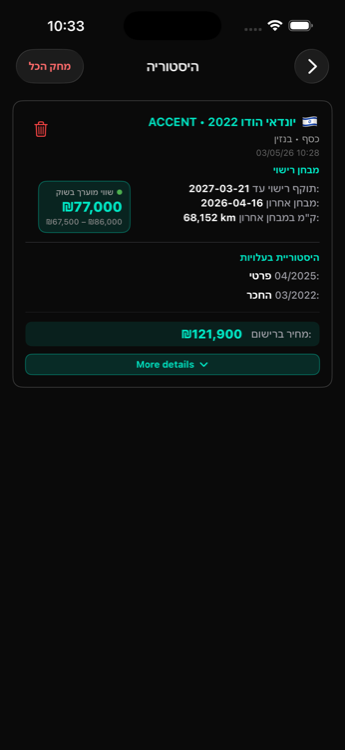
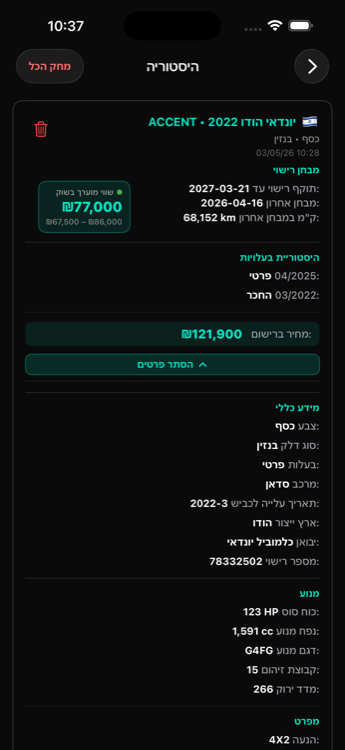
| Scan history | Lets you review past lookups | Stored locally on your device only (max 100 records). Never uploaded. |
| Country & language preferences | Provides a localized experience | Stored locally on your device. Never transmitted. |
| Purchase status | Tracks whether you purchased the ad-free upgrade | Managed by the App Store / Google Play. A boolean flag is cached locally. No payment details are accessible to the app. |
| Crash reports | Helps us fix bugs and improve stability | Sent to Firebase Crashlytics. Contains stack traces, device model, OS version. No personal data. |
| Device network / SIM country | Auto-detects your region for default country selection | Read on-device only. Never transmitted. |
We do not collect personal information such as your name, email address, phone number, or location coordinates — except a phone number you choose to publish with a listing (section 3a). We do not create user profiles or track you across apps.
2. How We Use Information
- Camera images are analyzed in real time on your device to detect and read license plate text. No image data leaves your device.
- Detected plate numbers are sent to the relevant government vehicle API (based on your selected country) to retrieve publicly available vehicle information.
- Scan history is maintained locally so you can revisit previous lookups without re-scanning.
- Preferences are stored locally to remember your chosen country and language settings between sessions.
3. Third-Party Services
CarInfo AR integrates the following third-party services. Each has its own privacy policy governing data it may collect:
- Google AdMob — displays advertisements. May collect device identifiers, IP addresses, and usage data per Google's Privacy Policy. You may opt out of personalized ads through your device's settings.
- App Store / Google Play Billing — processes the optional one-time in-app purchase. We do not collect or store your payment information.
- Firebase Crashlytics & Analytics — monitors stability and anonymous usage patterns. No personally identifiable information collected. Firebase Privacy.
- On-device text recognition — license plate OCR runs entirely on your device.
- Government Vehicle APIs — license plate numbers are sent to:
- Our copies of public vehicle registers (Google Cloud Storage) — Denmark and Ukraine have no per-plate government service, so the app looks plates up in our own copy of their public registers: Denmark — Motorstyrelsen (DMR) statistics extract; Ukraine — МВС України / data.gov.ua, licensed CC BY 4.0. The same kind of copy serves Israel and the Netherlands when the government service does not answer. These copies contain vehicle data only (no owner or person data), and the app downloads a file chosen by a number computed from the plate — the plate itself is not sent. Each result names its source and the date the copy describes.
3a. Listings — publishing your car for sale (optional)
If you choose to publish your car from My car, and only then, the following is stored on Google Firebase (Cloud Firestore) and shown to other CarInfo AR users:
- What is shown to everyone using the app: your car's details from the public registry (make, model, year, fuel), and what you type: price, kilometres, city, a note, and any photos you add.
- Photos (optional, up to 5): shown to everyone with your listing. Before a photo leaves your phone, the app redraws it from its pixels, which removes the location, time and camera details stored in the original file, and blurs any licence plate it can read. The blurring is automatic and can miss a plate — check your photos before you publish. Photos are stored on Google Firebase (Cloud Storage, in the EU) and deleted together with your listing, and in any case within 32 days.
- Where a photo was taken (fraud checks only): the app may keep the name of the city a photo was taken in, worked out on your phone from the original photo by your phone’s own location service (Google on Android, Apple on iPhone); the exact position is never sent to us or stored. It is not shown to anyone and is deleted with the listing.
- What is shown only to someone who opens your listing and taps “Show contact”: your car's licence plate and the phone number you entered. The phone number is not verified — only enter a number that is yours; you are responsible for it.
- Identity: the app signs in anonymously (a random identifier, no name, e-mail or account) so that only you can delete your listing.
- Blocking abuse: each listing also stores a one-way code made from an identifier of your device (the identifier itself never leaves your phone). It is not shown to anyone and is deleted with the listing. If a device keeps posting abusive or false listings, we can block that code so the app can no longer publish from that device; a blocked code is kept until we lift the block.
- Retention: a listing, its photos and its contact details are deleted automatically 30 days after publishing (the deletion can run up to one day late). You can delete your listing at any time from My car.
- Moderation: listings are checked automatically once a day, including by an AI model we run ourselves; listings that are reported or break the rules are hidden, and their contact details and photos are deleted. Reports are stored without being shown to anyone else.
- A listing you can no longer reach (for example after reinstalling the app): write to carinfo.ar.app@gmail.com and we will remove it.
- If you never publish, nothing in this section applies to you and nothing is sent.
3b. Listing rules (terms of use for publishing)
By tapping “I agree” before your first listing, you accept these rules. They apply to everything you publish and to how you use other people’s listings.
- Only your own car, for sale, by you. Publish only a vehicle you own or are entitled to sell. No ads for other goods or services, jobs, loans, dealers’ stock lists or anything that is not a private car for sale.
- Only your own phone number. Enter a number that is yours. Publishing someone else’s number is not allowed; people can report it and it will be hidden.
- Contact details go in the phone field only. No phone numbers, e-mail addresses, links, usernames or messaging handles in the price, city or note.
- Zero tolerance for objectionable content. No insults, hate, harassment, threats, sexual content, or text about a person rather than the car. Listings with such content are hidden and their contact details deleted.
- Honest details. The car’s details come from the public registry; the price, kilometres and note you add must be true to the best of your knowledge.
- Reporting and blocking. Any user can report a listing from the listing itself, and can hide a seller’s listings on their own device. Reported listings are usually reviewed within 24 hours; listings that break these rules are hidden and their contact details deleted.
- Using a listing’s contact details. Use a seller’s phone number only to ask about that car. Collecting, reselling or messaging numbers in bulk is not allowed.
- Removal. We may hide or remove any listing that breaks these rules, without notice.
- Before you uninstall. Delete your listing in My car first. The app signs in anonymously, so after uninstalling it can no longer reach your listing, which then stays up until it expires (at most 30 days) — or e-mail us and we will remove it.
- We are not a party to the sale. CarInfo AR shows listings; it does not check the cars, the sellers or the buyers, and is not responsible for any deal made through a listing. Check a car and its documents before you pay.
- Abuse contact: carinfo.ar.app@gmail.com — for a listing that uses your number, a listing you can no longer reach, or anything else that breaks these rules.
4. Data Storage & Retention
- All app data is stored locally on your device, except a listing you choose to publish (section 3a), which is kept for at most 30 days. (The register copies described in section 3 hold public vehicle data only — nothing about you.)
- Scan history is limited to the most recent 100 records and is stored in the app's private storage.
- You can clear your scan history at any time from within the app.
- Uninstalling the app removes all locally stored data.
We do not sell, rent, share, or transfer your data to any third party, except as described above (government API queries for vehicle lookups and AdMob for advertising).
5. Your Rights
- Access & Deletion: View or delete your scan history directly within the app settings. Delete a published listing from My car, or by e-mail if you can no longer reach it (section 3a).
- Camera Permission: You can revoke camera access at any time through your device's system settings.
- Ad Personalization: Manage your advertising preferences through your device settings.
- Uninstall: Removing the app deletes all associated local data.
6. Children's Privacy
CarInfo AR is not directed at children under the age of 13. We do not knowingly collect personal information from children. If you are a parent or guardian and believe your child has provided personal information through the app, please contact us.
7. Changes to This Policy
We may update this Privacy Policy from time to time. Changes will be posted on this page with an updated "Last updated" date. Continued use of the app after changes are posted constitutes acceptance of the updated policy.
8. Disclaimer
This app is NOT affiliated with, endorsed by, or associated with any government entity. CarInfo AR is an independent application that retrieves publicly available vehicle data from official government open-data platforms.
9. Contact
Developer: Benzi Heler
Email: carinfo.ar.app@gmail.com
GitHub: github.com/Benzih